Skip to content
e666 fs Live / Mobile
LIVE LOBBY

e666 fs — Casino Slots, Live Tables and Cricket Betting in One Place

Slots from Microgaming, Spadegaming and CQ9 sit alongside live dealer tables and a cricket sportsbook — all reachable from your account in one tap. Deposit with bKash or Bank Transfer and your wallet balance is ready to play across every category, subject to your local law and eligible region.

bKash Nagad Rocket
Browse games
CONTENT / 01

How the e666 fs Catalog Stays Organized for You

The catalog structure at e666 fs is built around two navigation layers: category tabs at the top of the lobby and the studio filter strip below them. Category tabs — slots, live casino, crash games, table games, sportsbook — define the broad section you want.

  • Category-first navigation

    The top navigation strip separates slots, live casino, crash games, table games and sportsbook into distinct tabs. Selecting a tab loads only that category's content — no mixed grid. This keeps the catalog readable even when the full library is large, and it means your account session stays focused on the format you chose to open.

  • Studio filter layer

    Below the category tabs, the studio strip lets you narrow to a single provider's titles. Choose Habanero and the grid shows only Habanero games within the active category. Choose Spadegaming and the same applies. You can combine a category tab with a studio filter to reach, for example, only Joker's slot titles, in two taps.

  • Live table card previews

    Before you enter a live dealer table, the game card shows the table's current status and betting range. This allows you to match a table to your current wallet balance without opening and exiting multiple tables.

TRUST / 03

Browse the Catalog with Clarity

Every game in the e666 fs lobby is sourced from a verified studio — Microgaming, PlayStar, Spadegaming, CQ9, Joker and Habanero. You can see the studio name on each game card before you open a table or a slot. That transparency is how we keep the catalog organized rather than cluttered.

  • Verified Studios Only

    Every game title in the lobby traces back to one of six verified studios: Microgaming, PlayStar, Spadegaming, CQ9, Joker or Habanero. The studio label is visible on the game card itself. No unverified content is mixed in, so what you see in the catalog accurately reflects what the studio has published for your region.

  • Honest RTP Display

    Return-to-player information appears on a game page only when the studio supplies it directly. We do not estimate, round or fabricate those figures.

  • Device Continuity

    Your account carries across phone, tablet and desktop browser without a separate download. Start a slot session on your phone, check your wallet balance mid-session, and pick up on desktop later — the lobby state and your active wallet ba

  • Published Support Route

    When you need help with your account, wallet or a game query, the support route is published inside your signed-in account area.

Learn more →
TRUST / 03

Find Account and Wallet Help Quickly

Support queries at e666 fs usually fall into three areas: wallet transactions, account access and game catalog questions. The route for each is accessible from the signed-in account menu — you do not need to search an external page.

  • Wallet and Deposit Help

    For bKash or Bank Transfer deposits that have not appeared in your account wallet, locate the transaction reference in your bKash app or your bank statement before contacting support. Sharing that reference speeds up the check considerably. The support ticket form inside your account has a dedicated field for payment references.

  • Account Access Support

    If you cannot reach your account on a new device or after a password change, the account recovery path is linked directly from the login screen. Follow the steps shown there — they cover email verification, identity confirmation and session reset in sequence.

  • Catalog and Game Questions

    Studio, category and game availability questions are answered through the lobby itself. Each game card shows the studio name and the category tag. If a title is not appearing in a region, that is a studio-level availability decision rather than an account issue.

Learn more →
E666 FS
Mobile casino lobby
Popular Live Slots
Cricket Stats Hub Roulette LuckWave Legal Note Bangladesh
MOBILE LOBBY

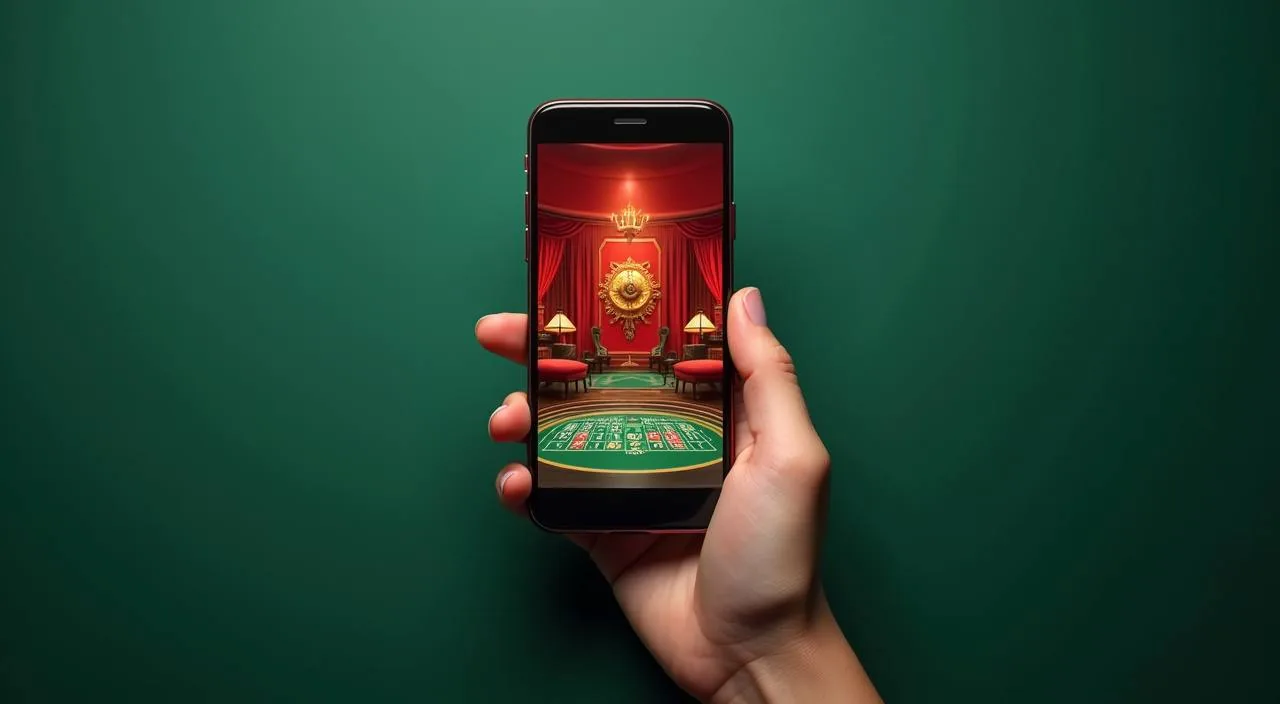
Built for phones, clear on desktop

Cards, tables, FAQ and policy pages stay easy to read on smaller screens.

  • Quick categories
  • Mobile first
  • Access
App
CONTENT / 03

Open the Lobby from Any Device, No Download Needed

The e666 fs lobby runs fully inside your mobile browser. There is no separate app to install and no file to keep updated — the same catalog you see on desktop is available on Android and iOS through the browser address bar.

  • Browser-based access

    No app store download is required. The full lobby — slots, live tables and sportsbook — loads in your mobile browser. Your bKash deposit made on mobile reflects immediately in the same account when you open it on a desktop or tablet browser, keeping your wallet consistent across every device you use.

  • Stream-adaptive live tables

    Live dealer tables from the lobby automatically adjust the video stream to match your current connection speed. On a strong mobile connection, you get the full quality feed. On a slower signal, the table stays playable rather than buffering. You do not need to change any setting — the adjustment happens within the game session itself.

  • Mobile-native slot layouts

    Slot titles from studios like Spadegaming and Habanero are built for mobile-first rendering. The spin button, paytable and game controls sit at thumb reach without needing to zoom. This is a studio-level build decision, visible when you open any of those titles on a phone, not a feature we have added on top.

ACCOUNT PATH

Switch from the Landing Page to the Lobby in Four Steps

Opening an account at e666 fs follows a short, ordered path. Each step has one job, and the screen tells you exactly what to fill in before moving forward.

  1. Open the account registration page

    Select the account creation option from the home screen. The form asks for your email address, a password and your country — enter Bangladesh and the form adapts the available wallet options to your region automatically.

  2. Verify your email address

    A confirmation link is sent to the email you entered. Open that email on any device and click the link. The account becomes active immediately after confirmation — you do not need to wait for a manual review at this stage.

  3. Add a payment method to your wallet

    Inside the account wallet section, select bKash or Bank Transfer from the options shown. Follow the fields displayed — the form specifies exactly which details are needed for each method. Completing this step now means your first deposit processes without an additional verification hold.

  4. Enter the lobby and browse by category

    Once your wallet has a confirmed balance, the lobby navigation opens fully. Use the category tabs — slots, live casino, crash games, sportsbook — to find the section you want. Game cards show the studio name and, where published by the provider, the RTP figure.

MEMBER DESK / 06

Offers, support and account controls

01

Game lobby

02

Payment guide

03

Support

LOCAL PAYMENTS

Deposit with bKash or Bank Transfer from Your Account Wallet

Two payment rails are configured for Bangladesh account holders at e666 fs: bKash and Bank Transfer. Both are accessible from the wallet section of your signed-in account — you do not need to contact support to add either method if you follow the fields shown on the wallet setup screen.

  • bKash

    bKash is the mobile wallet method most Bangladesh account holders use at e666 fs. The deposit flow runs through the bKash app — you authorise the amount there and the reference confirms on the platform side. Keep the bKash transaction reference until the balance appears in your account wallet, in case a support check is needed.

  • Bank Transfer

    Bank Transfer deposits use the account details shown on the wallet deposit screen. Enter the exact reference format displayed — this is how the platform matches your transfer to your account without a manual step. Processing windows for bank transfers differ from mobile wallet credits; the deposit screen shows the expected timeframe for your account region.

  • Nagad

    Nagad is a Bangladesh mobile financial service that may be available as a deposit option on your account wallet screen. Check the wallet section after signing in to confirm current availability. If Nagad appears in the deposit options, the flow works similarly to bKash — authorise in the Nagad app and retain the reference number.

  • Rocket

    Rocket, operated by Dutch-Bangla Bank, is a mobile banking service used widely across Bangladesh. If it appears in your account wallet options, use the deposit reference format shown on screen.

Banking
CATALOG SPOTLIGHT

Explore Cricket Wicket Win and Crash Dynamite in the Lobby

Two titles that get opened frequently by Bangladesh account holders are Cricket Wicket Win and Crash Dynamite. Cricket Wicket Win sits in the sports-themed slot category — it draws on cricket match framing without being a live betting product, so it is available regardless of whether the sportsbook is active on your account.

  • Cricket Wicket Win

    Cricket Wicket Win is a sports-themed slot that fits naturally for Bangladesh members who follow cricket. It sits in the slots category, not the live sportsbook, so the round mechanic is slot-based.

  • Crash Dynamite

    Crash Dynamite is in the crash games section of the lobby. The round mechanic — a multiplier that rises until the crash event — is displayed on screen as it runs. It is a short-round format that works well on mobile.

  • Roulette LuckWave

    Roulette LuckWave sits in the table games section of the catalog. It is a digital roulette format, not a live dealer stream, so it is available without a strong video connection. The game card shows betting limits before you open the table.

DISCOVER / 01

Choose your game

Full lobby
GAME NETWORK
Microgaming
PlayStar
Spadegaming
CQ9
Joker
Habanero
CONTENT / 04

e666 fs lobby studios

The e666 fs lobby carries content from Microgaming, PlayStar, Spadegaming, CQ9, Joker, Habanero. To check the studio, rules or features of one specific game, open that game card or the published information panel.

  • Microgaming

  • PlayStar

  • Spadegaming

  • CQ9

  • Joker

  • Habanero

ACCOUNT DESK

Account information

Review current account information after signing in.

Login
PLAYER INDEX / 07

Key Terms You See Inside the e666 fs Lobby

The lobby uses a small set of consistent labels across every game card, category tab and wallet screen. Understanding what each label means helps you navigate faster without needing to open a support ticket for a terminology question.

Player guide and glossary
  • What does 'RTP' mean on a game card?

    RTP stands for return-to-player. It is a percentage published by the game studio that describes the theoretical long-run return across a very large number of rounds. On e666 fs, RTP is shown on a game card only when the studio supplies that figure for your region.

  • What is the difference between a slot and a crash game?

    A slot is a reel-based game where the outcome is determined at the moment you spin. A crash game has a different mechanic: a multiplier rises from the start of each round and you decide when to exit before the crash event ends the round.

  • What does 'live casino' mean in the lobby navigation?

    Live casino refers to table games — baccarat, roulette, blackjack and similar formats — where the game is hosted by a human dealer on a video stream rather than a digital animation. The live casino tab in the lobby shows only streamed table games.

  • What does the studio name on a game card tell me?

    The studio name identifies which game content provider built and maintains that title. At e666 fs, studios include Microgaming, PlayStar, Spadegaming, CQ9, Joker and Habanero. The studio supplies the game mechanics, visuals and, where available, the published RTP. It does not handle your payment or account.

  • What is the wallet balance shown at the top of my account screen?

    The wallet balance is the total amount currently available in your e666 fs account for placing game rounds. It updates after each confirmed deposit or completed round. A bKash deposit adds to this balance once the transaction is confirmed on both the bKash side and the platform side.

  • What does 'eligible region' mean when the site mentions it?

    Eligible region refers to whether your location and account type allow access to a specific feature, game or wallet method. Not every game category or payment option is available in every country. For Bangladesh account holders, availability depends on local law and the region classification applied to your account during registration.

  • What is a category tab in the lobby?

    A category tab is a navigation button at the top of the lobby that filters the game grid to a single content type: slots, live casino, crash games, table games or sportsbook. Tapping a tab loads only that category's titles.

Full glossary
LOBBY / 02

One mobile lobby, distinct game areas

Cricket Stats Hub Sports Cricket Stats Hub Access → Roulette LuckWave Live Roulette LuckWave Access → Legal Note Bangladesh Slots Legal Note Bangladesh Access → Football Lucky Bet Sports Football Lucky Bet Access → Crash Dynamite Slots Crash Dynamite Access → Cricket Wicket Win Sports Cricket Wicket Win Access →
EXPLORE FURTHER / 04

Explore detailed guides

Local lobby check

QUICK ANSWERS

Frequently asked questions

The questions below cover the account, payment and navigation topics that members ask about most after they have opened an account. If your question is not here, the support route inside your signed-in account is the next step — check the account menu for the contact option relevant to your query type.

Read FAQ →
How do I make a bKash deposit at e666 fs?

Sign in to your account and open the wallet section. Select bKash from the deposit options shown. The screen provides the receiving number and the reference format to use. Open your bKash app, enter the amount and complete the payment using the details shown on screen. Keep the transaction reference from your bKash confirmation.

Can I use my account on both my phone and my laptop?

Yes. The e666 fs lobby runs in a browser on any device — phone, tablet or laptop — without a separate download. Sign in with your account credentials on each device and the same wallet balance and account history are accessible.

Why is a game not appearing in the lobby for my account?

A game may not appear if it is not available in your eligible region, if the studio has restricted that title for certain markets, or if the game is temporarily unavailable due to a maintenance window from the studio.

How does Bank Transfer work as a deposit method?

Inside the wallet deposit screen, select Bank Transfer from the available options. The screen provides the account details to transfer to, along with the exact reference format you must use. Make the transfer from your bank account using those details. The reference format is important — it links your transfer to your e666 fs account automatically.

What is the sportsbook section and what sports does it cover?

The sportsbook is a separate category in the lobby, accessed through its own tab. For Bangladesh account holders, cricket is the primary category — matches covering international cricket, IPL and BPL tournaments are listed there when available. Football is also available in the sportsbook.

How do I contact support if my wallet has an issue?

Sign in to your account and open the account menu. The support contact option is listed there. For wallet issues — a deposit not reflecting, a withdrawal query or a balance discrepancy — have your transaction reference ready before you submit a ticket.

Is the full catalog available on a mobile browser?

The e666 fs lobby is accessible from a mobile browser without requiring a separate app download. Slots from studios like Spadegaming and CQ9 are built for mobile screen sizes natively. Live casino tables adapt their stream quality to your connection. Crash games load the same way on mobile as on desktop.

What should I do if I forget my account password?

On the e666 fs login screen, select the password recovery option. The process involves confirming your registered email address and following the steps sent to that email. Complete each step in sequence as shown on screen — the flow covers email verification and account confirmation before allowing you to set a new password.

READY WHEN YOU ARE

e666 fs game lobby

Access may be available only where local law permits.

Register Login